
You’ve got a project pipeline full of exciting opportunities, but your team looks like they’re one coffee away from collapse. So, you’re wondering — do you need to hire more people, or just manage your existing ones better?
That’s where capacity planning and resource planning come in — two sides of the same productivity coin.
While they’re often mentioned together (and sometimes used interchangeably), they solve different problems. Understanding the distinction between capacity planning vs resource planning can mean the difference between a smooth project delivery and a scheduling nightmare.
Now, let’s dive in.
What is capacity planning?
Capacity planning is all about understanding how much work your team can handle over time.
Think of it as checking the fuel gauge before setting off on a long road trip. You want to know if your car — or in this case, your team — has enough fuel (skills, time, and people) to reach the destination without breaking down.
In simpler terms, capacity planning helps you answer the question:
“Do we have enough resources to take on the upcoming work?”
1. Why it matters
Without proper capacity planning, teams often fall into two traps:
- Overcapacity: everyone’s overworked, deadlines slip, and burnout becomes the office anthem.
- Undercapacity: people sit idle, projects slow down, and resources are wasted.
Good capacity planning ensures you find the sweet spot between those extremes. It’s not about squeezing more work out of your team; it’s about aligning demand with realistic supply.
2. What it involves
- Forecasting demand: Estimating the amount of work coming your way (new projects, ongoing maintenance, client requests, etc.).
- Assessing availability: Understanding how much time your current workforce can realistically deliver, considering vacations, part-time roles, and parallel projects.
- Making adjustments: Hiring, training, or outsourcing when capacity falls short — or redistributing work when it’s too high.
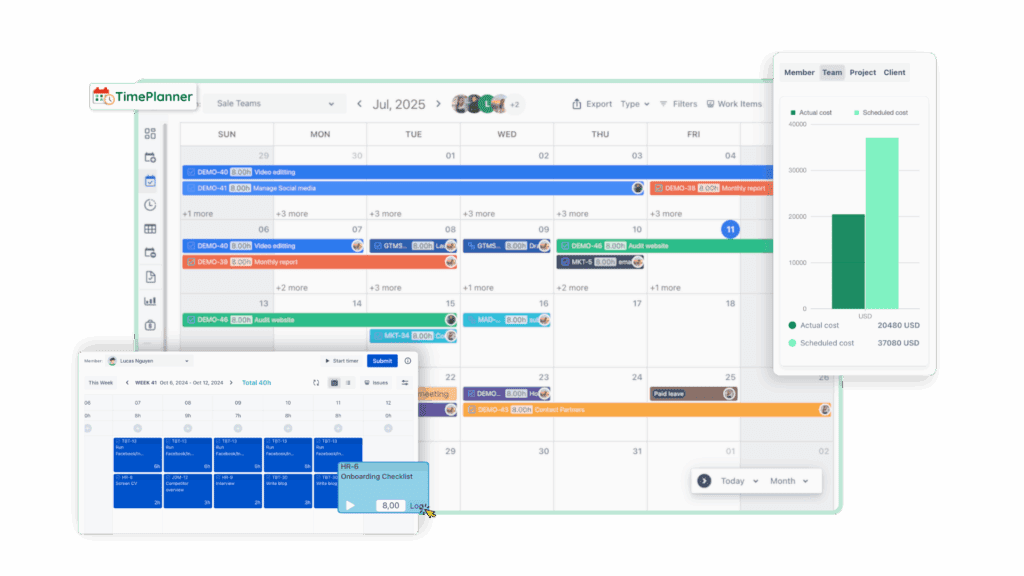
Many project management tools, like TimePlanner, or even a simple capacity spreadsheet, can help visualize workload distribution. A clear capacity chart is like a GPS for your team. It shows when you’re cruising smoothly or heading for a traffic jam.
What is resource planning?
If capacity planning is about how much work you can handle, resource planning is about who does the job and when.
Resource planning answers the question:
“Who’s available to work on this task next week?”
It’s the day-to-day, tactical part of project management — assigning people, equipment, and materials to tasks in a way that maximizes efficiency and keeps everyone sane.
1. Why it matters
Even if you have the right overall capacity, poor resource planning can derail your schedule. You might have enough people on paper, but if all your developers are working on the same project while others sit idle, you’re still in trouble.
Effective resource planning ensures:
- No one is overloaded or underutilized.
- The right people (with the right skills) are assigned to the right work.
- Project timelines are realistic and achievable.
2. What it involves
- Allocating resources: Assigning team members, tools, or materials to specific tasks.
- Balancing workloads: Ensuring no one is working 120% while others are at 50%.
- Tracking progress: Adjusting assignments as priorities or availability change.
Tools like GanttTable for Jira, ProScheduler, or other resource scheduling platforms make this easier with drag-and-drop task allocation, real-time workload tracking, and color-coded timelines. They turn chaos into clarity — and make sure no one’s secretly juggling five projects at once.
Capacity planning vs resource planning: The differences
Now that we’ve defined both, let’s clear up where they differ — and where they complement each other.
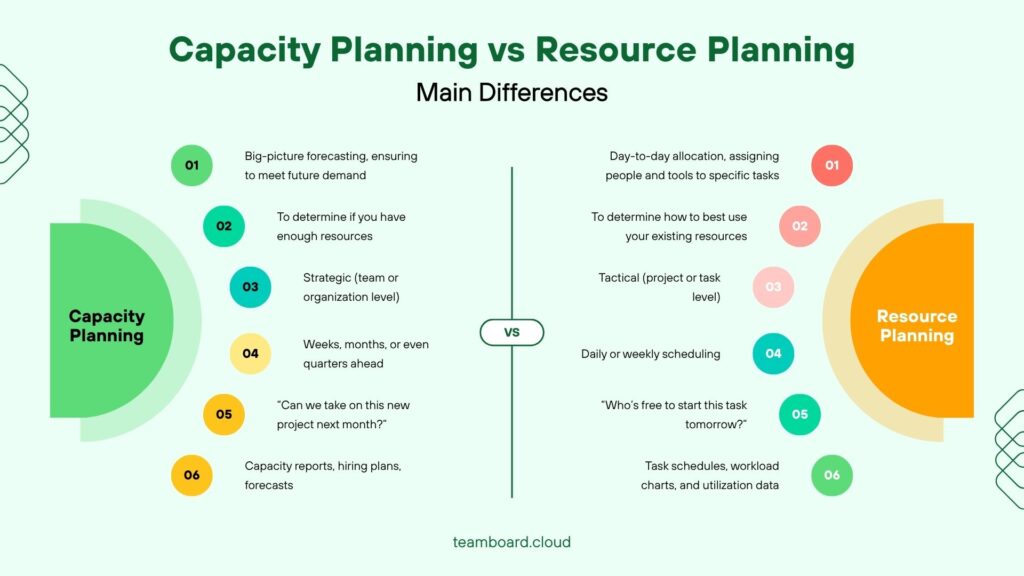
Let’s think of it this way. Capacity planning is like deciding how big your restaurant should be — how many tables, how many staff, and how much food you’ll need to serve customers in the future.
| Aspect | Capacity Planning | Resource Planning |
| Focus | Big-picture forecasting, ensuring the organization can meet future demand. | Day-to-day allocation, assigning people and tools to specific tasks. |
| Goal | To determine if you have enough resources. | To determine how to best use your existing resources. |
| Level | Strategic (team or organization level). | Tactical (project or task level). |
| Timeframe | Weeks, months, or even quarters ahead. | Daily or weekly scheduling. |
| Typical question | “Can we take on this new project next month?” | “Who’s free to start this task tomorrow?” |
| Output | Capacity reports, hiring plans, forecasts. | Task schedules, workload charts, and utilization data. |
Resource planning is running the restaurant day to day — assigning waiters to tables, making sure the chef isn’t double-booked, and keeping customers happy.
Both are essential. One ensures you’re prepared for demand; the other ensures you deliver efficiently once demand arrives.
When to use capacity planning and resource planning
Both planning types shine at different stages of your workflow — but they work best together.
You can use capacity planning when:
- You’re forecasting future work or scaling your team.
- You’re deciding whether to take on new projects.
- You notice recurring bottlenecks or burnout.
- You’re planning budgets or hiring cycles.
Example: During quarterly planning, you forecast upcoming client projects and realize your QA team will be at 120% utilization by next month. Time to hire, cross-train, or delay a project — all insights from capacity planning.
Meanwhile, you can use resource planning if:
- You’re managing projects that are already in motion.
- You’re scheduling specific people or equipment.
- You need to balance workloads to prevent burnout.
- You’re optimizing daily or weekly operations.
Example: Your content team has three campaigns launching next week. You shuffle schedules so the designer focuses on visuals for Campaign A while another handles Campaign B. That’s smart resource planning.
How agile teams use tools to bridge both
In today’s dynamic work environments, manual spreadsheets just don’t cut it anymore. Teams need real-time visibility and adaptability – especially when managing multiple projects or distributed teams.
That’s why tools like TeamBoard ProScheduler and TimePlanner (for Jira users) have become indispensable.
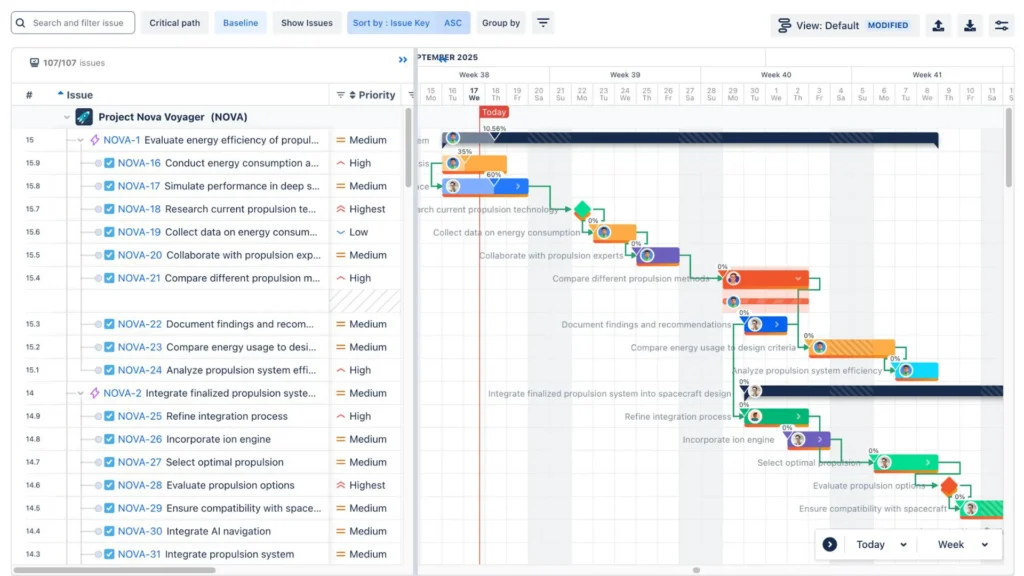
They combine both planning types in one interface, helping managers:
- Forecast capacity across weeks or months.
- See individual workloads in real time.
- Reallocate tasks instantly with drag-and-drop scheduling.
- Identify underutilized or overbooked team members.
These tools transform abstract planning concepts into visual dashboards that everyone can understand — from executives to team leads. And they help make smarter, data-backed decisions without endless spreadsheets or “just one more” status meeting.
Final thoughts
So, capacity planning vs resource planning, despite the differences, they go hand-in-hand. In project management, capacity planning and resource planning are like two gears in the same machine — each turning in sync to keep work moving smoothly.
Capacity planning helps you see the road ahead, making sure your team has the right bandwidth to handle future projects. On the other hand, resource planning keeps your wheels turning today — assigning the right people to the right tasks at the right time.
When combined, they create balance: your forecasts become realistic, workloads stay manageable, and your team delivers without burning out. It’s the difference between constantly firefighting and actually steering your projects with control and confidence.