
In project management, a Gantt chart is one of the most powerful tools available to track progress, visualize timelines, and ensure that tasks are completed on schedule. Named after its inventor, Henry Gantt, this chart provides a clear, visual representation of a project’s timeline, dependencies, and milestones. However, using a project management Gantt chart improperly can lead to confusion, inefficiencies, and delays.
In this blog, we’ll explore the most common mistakes project managers make when using a Gantt chart and provide practical solutions to help you avoid these pitfalls, ensuring your project stays on track and is managed effectively.
1. Overcomplicating the Gantt Chart
Mistake: Adding Too Many Details or Tasks
When creating a project management Gantt chart, it’s tempting to add every small task and detail. However, doing so can make the chart overly complex, difficult to read, and unhelpful for the team. This overwhelming level of detail can distract from the key tasks and milestones that really matter.
Solution: Focus on high-level tasks and key milestones. Only break down large tasks into smaller sub-tasks when necessary, and keep your chart simple and clear. Over time, you can adjust the level of detail based on the project’s complexity.
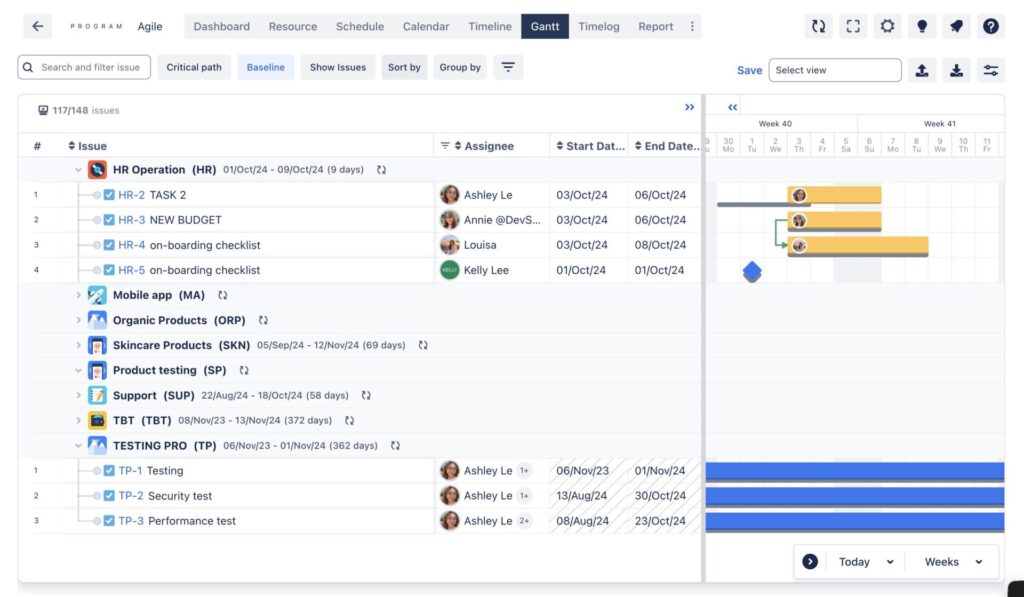
Example: A Gantt chart with too many individual steps (e.g., “send email,” “schedule meeting,” etc.) can overwhelm the team, while a streamlined chart focusing on major milestones like “launch phase,” “review phase,” or “final delivery” makes the project easier to follow.
Explore: What is a Gantt Chart? Everything you need to know
2. Not Updating the Gantt Chart Regularly
Mistake: Failing to Keep the Gantt Chart Updated with Real-Time Progress
One of the biggest mistakes in using Gantt charts is not updating them regularly. If the chart isn’t updated to reflect the true progress of a project, it becomes an unreliable tool that doesn’t represent the current state of the project. This can lead to poor decision-making, missed deadlines, and confusion among team members and stakeholders.
Solution: Set a schedule for updating the Gantt chart—this could be weekly or after any major milestones or changes. Be sure to reflect progress, delays, and any changes in the project’s scope or deadlines.
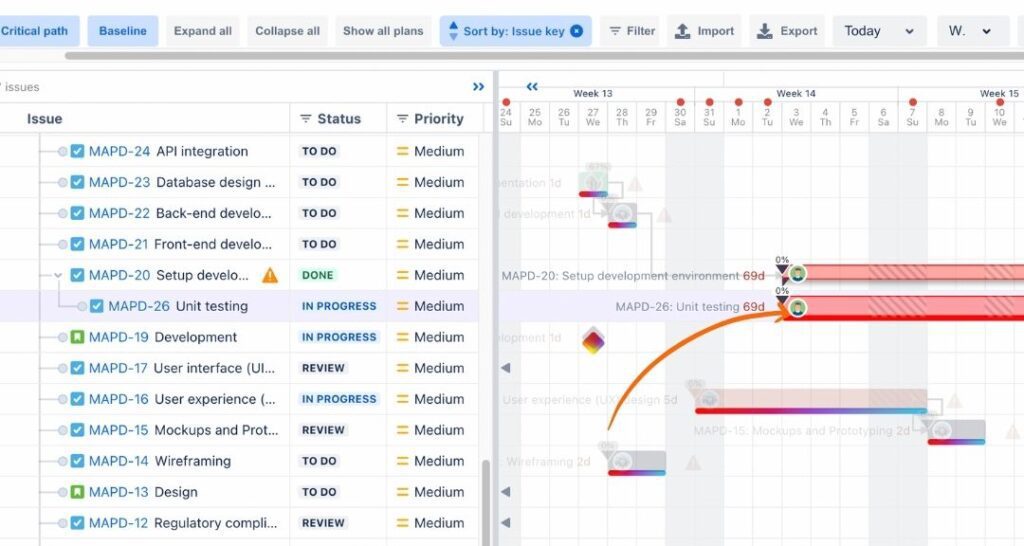
Example: A project that is behind schedule will have tasks showing as completed on time when they haven’t been. This misalignment causes the project manager and stakeholders to miss out on necessary adjustments or corrective actions.
3. Ignoring Task Dependencies
Mistake: Overlooking Task Dependencies
Gantt charts are most useful when they clearly show Gantt chart task dependencies, where the completion of one task affects the start of another. Ignoring dependencies can create unrealistic timelines and result in tasks starting too early or too late, causing bottlenecks or project delays.
Solution: Always define and map out dependencies in your Gantt chart. Ensure that tasks are linked in such a way that delays in one task will automatically push subsequent tasks, helping you maintain a realistic schedule.
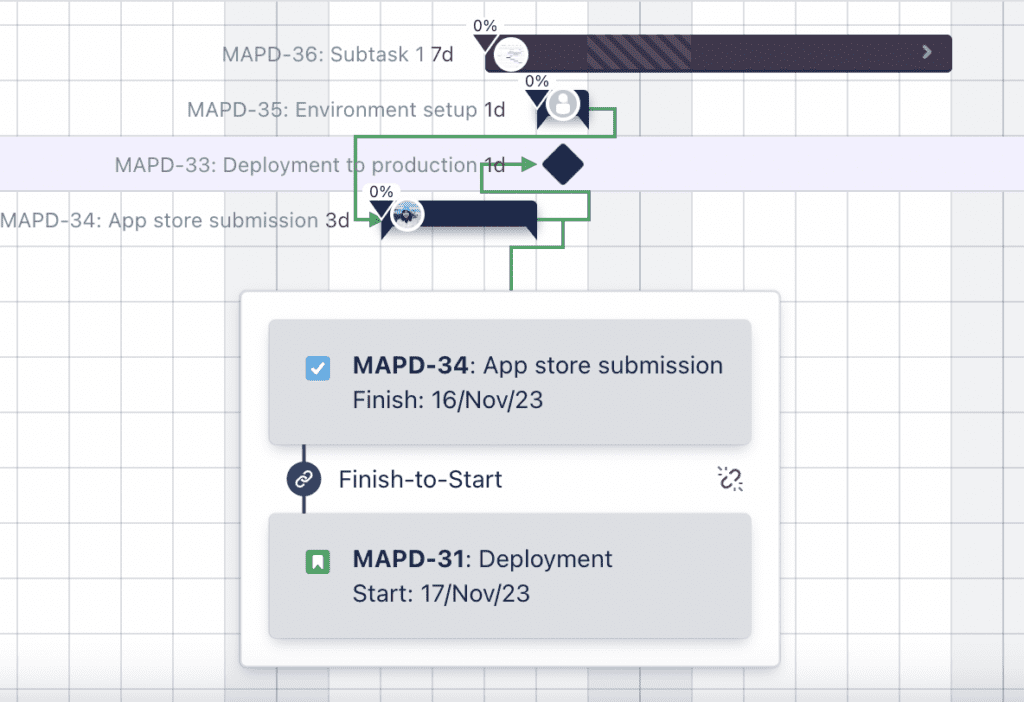
Example: If Task B is dependent on the completion of Task A, failing to account for this dependency might cause Task B to start prematurely, leading to wasted resources or duplicated effort.
4. Not Using Milestones Effectively
Mistake: Missing or Poorly Defined Milestones
Gantt chart milestones are key markers in a project that signify the completion of significant phases or deliverables. Without well-defined milestones, it becomes difficult to assess progress and the overall health of the project.
Solution: Make sure to define major milestones clearly and include them in your Gantt chart. Milestones are not just for major deliverables, but also for important reviews or approvals that need to be tracked.
Example: Instead of just showing a task “Develop Website,” a milestone could be “Website Prototype Complete” to mark a major stage in the development process. This provides clarity and allows the team to focus on achievable goals.
5. Ignoring Resource Allocation
Mistake: Not Factoring in Resource Constraints or Availability
In some cases, project managers focus solely on timelines without considering the availability and capacity of resources—whether it’s team members, equipment, or budgets. This oversight can lead to overburdened team members, underutilized resources, or missed deadlines.
Solution: Include resource allocation within the Gantt chart to visually track who is assigned to each task and their availability. This will help you avoid overloading resources and ensure that everyone is being utilized effectively.
Example: If your Gantt chart shows that your graphic designer is assigned to three tasks at once, but their availability only allows for one, this imbalance will cause delays. Adjust the task assignments accordingly to balance workloads.
6. Not Using Gantt Charts for Communication
Mistake: Using the Gantt Chart as an Internal Tool Only
Often, project managers use Gantt charts exclusively within their teams, missing an opportunity to share the visual progress with external stakeholders or clients. A Gantt chart can be a powerful communication tool that helps everyone stay aligned on the project’s status and upcoming tasks.
Solution: Use the Gantt chart to communicate with all relevant stakeholders. Share it regularly with team members, clients, and upper management to ensure transparency and to highlight important updates or delays.
Example: By sharing a Gantt chart in a client meeting, you can clearly demonstrate the progress of the project and manage client expectations regarding future timelines.
7. Overlooking Critical Path Management
Mistake: Not Identifying the Critical Path
The critical path is the sequence of tasks that must be completed on time to ensure the overall project stays on track. Failing to identify and manage the critical path can lead to delays that ripple throughout the project.
Solution: Use your Gantt chart to highlight the critical path and keep an eye on tasks that directly impact the project’s deadline. Make sure those tasks are prioritized and avoid unnecessary delays.
Example: In a construction project, if the foundation work is delayed, everything that depends on that task (like framing, plumbing, etc.) will also be delayed. Tracking this through the Gantt chart ensures you address issues before they snowball.
8. Overestimating or Underestimating Task Durations
Mistake: Unrealistic Task Durations
A Gantt chart’s timeline is only as good as the accuracy of the task durations. Overestimating task durations can result in unnecessary padding of the schedule, while underestimating can set unrealistic expectations and lead to missed deadlines.
Solution: Base task durations on historical data, team input, and experience. Involve your team members in estimating realistic timelines and adjust as needed as the project progresses.
Example: If a software development task is expected to take only two days but historically takes a week, not accounting for this in the Gantt chart can result in unrealistic planning.
9. Failing to Adjust for Changes or Delays
Mistake: Not Adapting the Gantt Chart When Unexpected Changes Occur
Change is inevitable in most projects. Whether it’s scope changes, unexpected delays, or new tasks, the Gantt chart must be updated to reflect these changes. If you don’t make the necessary adjustments, your chart becomes outdated and inaccurate, undermining its usefulness.
Solution: Be flexible with your Gantt chart and regularly adjust it when there are any changes to the project scope, deadlines, or resources. This helps to keep the project on track and ensures the team is aligned with current expectations.
Example: If a key supplier delays delivery of materials, the project manager should immediately update the Gantt chart to push back dependent tasks to avoid surprises down the road.
10. Using Gantt Charts for Projects That Don’t Need Them
Mistake: Using Gantt Charts for Simple or Short Projects
While Gantt charts are great for large and complex projects, they may not be necessary for smaller projects or those with flexible timelines. In these cases, the effort to create and maintain a Gantt chart might outweigh the benefits.
Solution: Consider alternative project management tools like Kanban boards, task lists, or simpler project planning methods when dealing with small or short-term projects.
Example: A small marketing campaign with only a few tasks and a flexible deadline might not need a detailed Gantt chart. A simple task list or Trello board could be more efficient in this case.
Conclusion
Gantt charts are an essential tool for successful project management, but only if used correctly. By avoiding these common mistakes, project managers can ensure their Gantt charts remain effective, accurate, and easy to understand. Regular updates, accurate task planning, and clear communication will keep your project on track and help you achieve your goals on time.
Explore more: TaskFord‘s solutions in project management