
Keeping a project on track often means piecing together updates from dozens of Jira work items, Confluence pages, and comment threads, just to answer one simple question: Are we still on schedule?
Rovo agents in Jira for project managers can take much of that manual legwork off your plate. Instead of gathering context, drafting reports, and breaking down epics from scratch, you can hand these tasks to specialized AI agents that work inside your existing workflows. But effective AI in project management isn’t about automating everything. It’s about knowing where AI adds speed and where human judgment can’t be replaced. Here’s how to decide which tasks to hand over to Rovo agents, and which to keep for yourself.
What are Rovo agents in Jira?
Rovo agents are AI-powered assistants from Atlassian built to handle specific tasks and support teamwork directly inside Jira. Using custom instructions, connected knowledge sources, and supported tools, they understand requests, surface relevant context, and carry out defined actions.
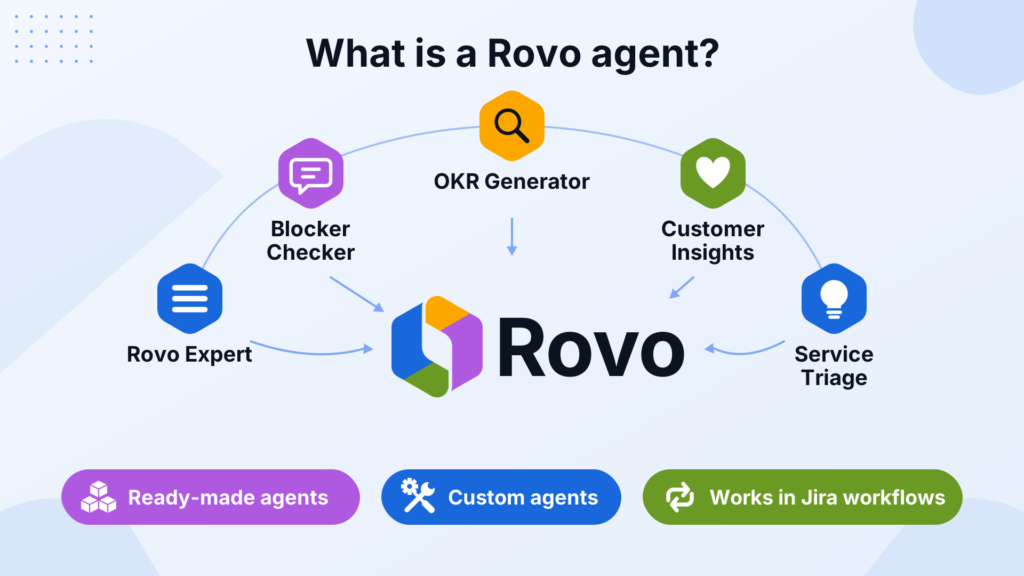
A project manager can use a Rovo agent to review Jira work items, flag potential blockers, draft status reports, or break down large initiatives into smaller tasks. Depending on how an agent is configured and what permissions it holds, it can also create or update Jira work items automatically.
Teams can interact with Rovo agents in three main ways:
- Through Rovo Chat for on-demand questions and summaries
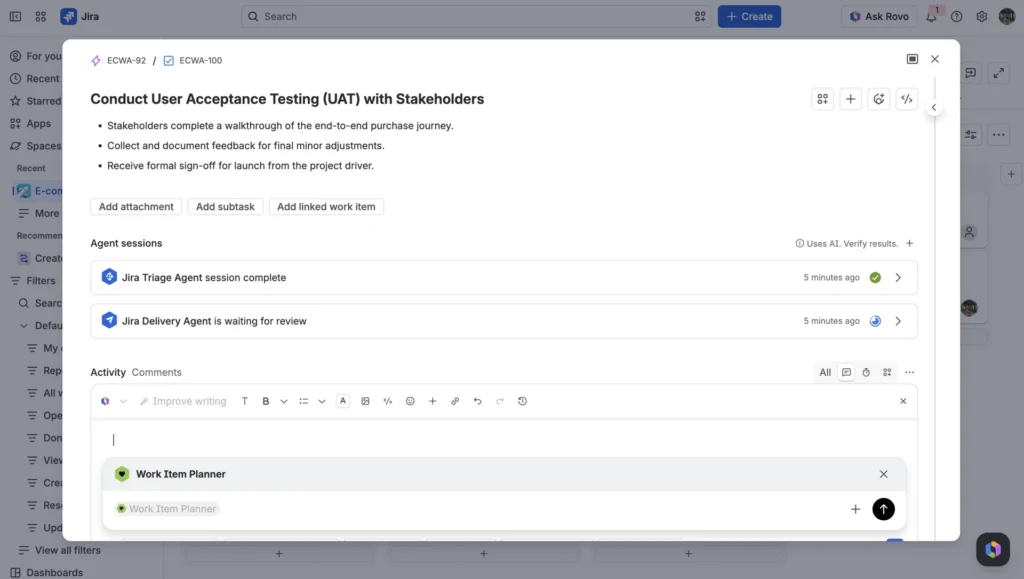
- Directly inside Jira work items via assignments and @mentions
- Through Jira Automation workflows for recurring tasks
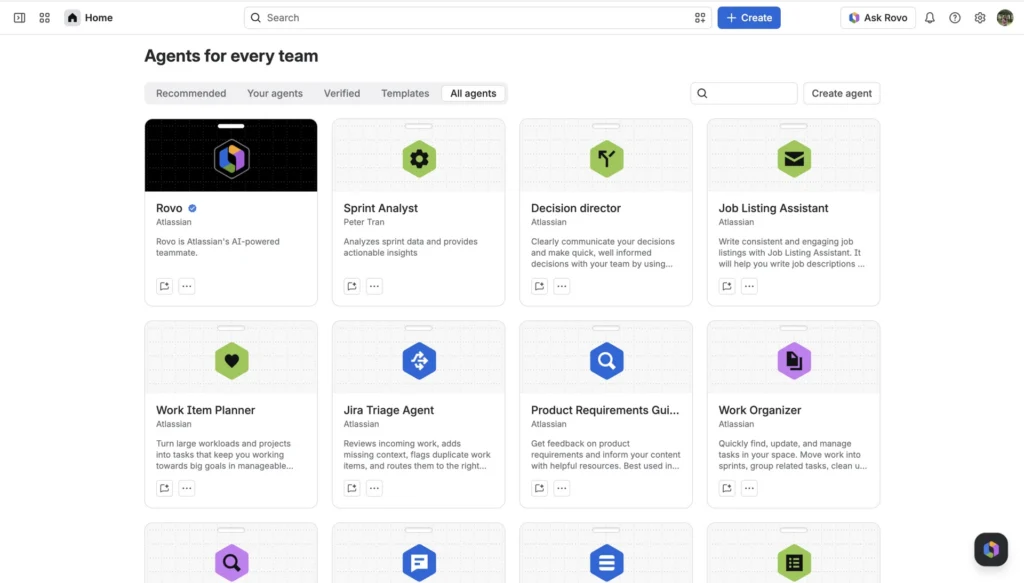
Atlassian provides ready-made agents for common project workflows, while teams can build custom agents tailored to their processes using Rovo Studio.
Why Rovo agents matter for PMs today
Project managers constantly pull context across boards, documents, and messaging tools just to keep delivery on track. Rovo agents help reduce this manual work by bringing AI assistance into existing project workflows.
According to an Atlassian study on Rovo productivity in Jira, teams that adopt Rovo to start work items 35% faster, move 30% more tasks to “In Progress”, and save time one full workday every 28 days to reinvest in retrospectives and strategic planning.
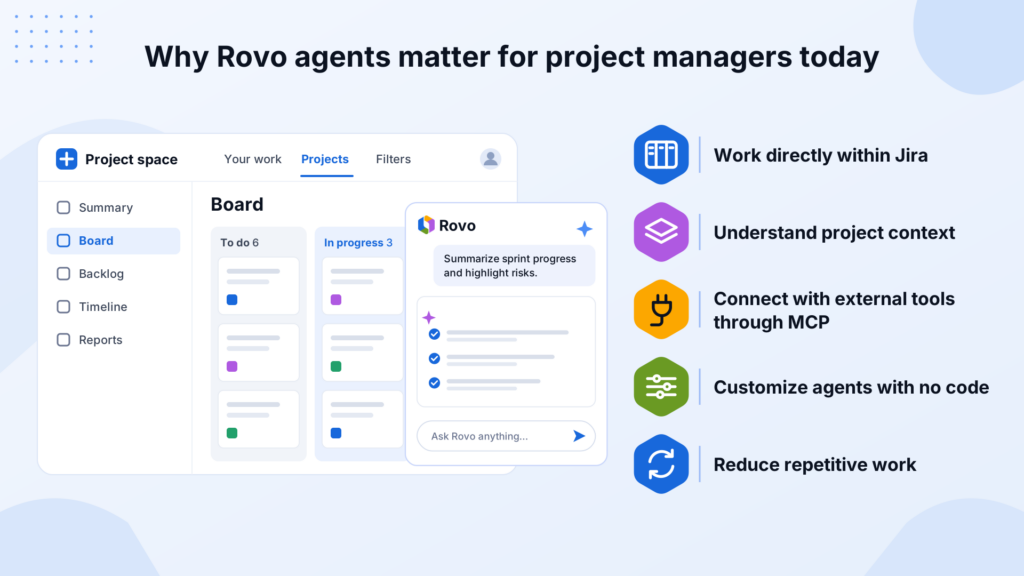
Here is how Rovo agents support day-to-day project management for Jira:
- Work directly within Jira: When enabled for work item collaboration, agents can be assigned tasks, respond to @mentions in comments, and participate in supported workflow transitions alongside human teammates.
- Understand cross-tool project context: Powered by Atlassian’s Teamwork Graph, agents draw from accessible data across Jira, Confluence, and connected apps—allowing them to factor in related specs, decisions, and discussions when responding.
- Connect with external tools via MCP: Through the Model Context Protocol (MCP), supported agents integrate with third-party platforms like Figma and Amplitude to pull context or trigger supported actions based on your permission settings.
- Customize workflows with no code: Rovo Studio lets project managers build custom agents using natural-language instructions, specific knowledge bases, and tailored toolsets—no engineering support required.
- Eliminate repetitive administrative work: By gathering updates, reviewing tickets, and drafting summaries automatically, agents free up hours each week for strategic planning and team leadership.
Which tasks to hand over to Rovo agents
Atlassian offers out-of-the-box Rovo agents alongside custom builds in Rovo Studio. In general, Rovo agents excel at repetitive tasks that rely on clear rules, structured data retrieval, and producing first drafts for human review.
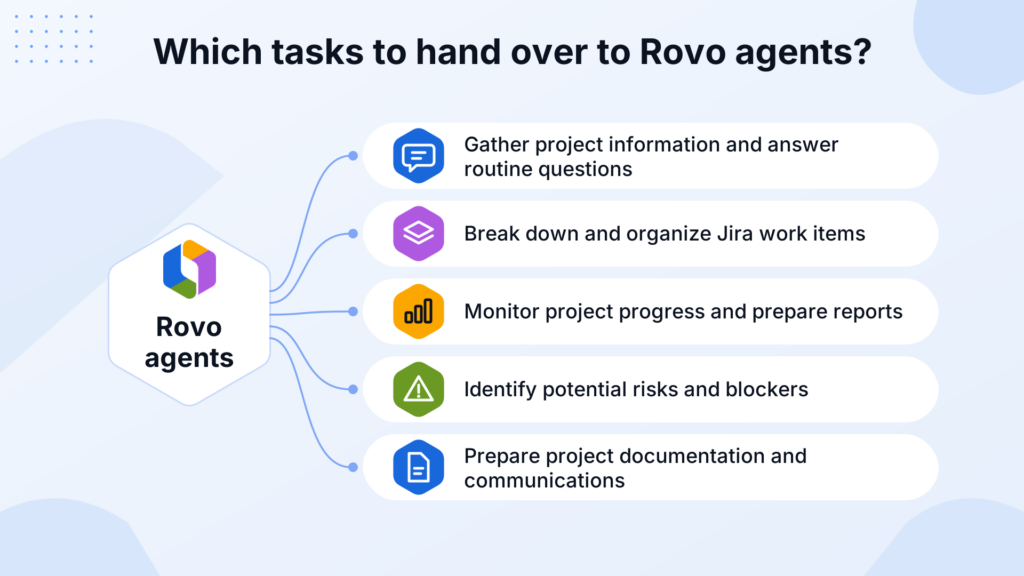
1. Gather project information and answer routine questions
Managing multiple Jira projects often means jumping across boards, filters, and comment threads just to get a clear picture of progress.
Rovo agents can retrieve information across the projects they have access to and condense it into a clear summary. Before a weekly sync, you can ask an agent which work items are overdue, which tasks remain blocked, and what changed since your last review. Instead of auditing every ticket manually, you immediately see where follow-up is needed.
2. Break down and organize Jira work items
Large initiatives and product requirements often need to be broken down into smaller, actionable tasks before teams can estimate effort and begin work.
Rovo agents can help prepare the backlog by suggesting task breakdowns, reviewing work item details, and drafting descriptions or acceptance criteria.
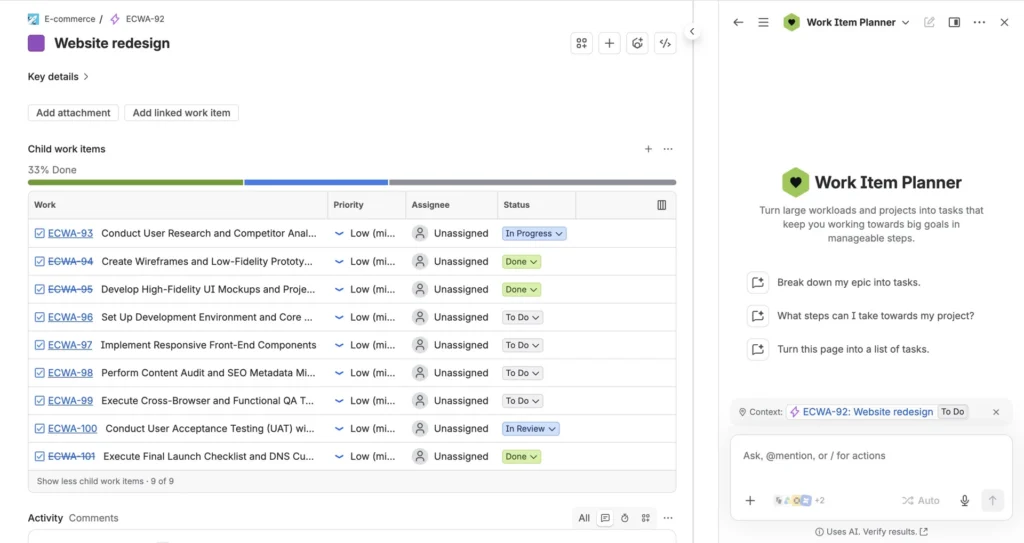
For example, Atlassian’s ready-made Work Item Planner agent can help break down a website redesign epic into tasks covering UI design, development, QA testing, and deployment.
This gives the team a starting point for backlog refinement, while the project manager reviews the proposed tasks and confirms the final scope, dependencies, and priorities.
3. Monitor project progress and prepare reports
Tracking delivery means regularly reviewing completed work, open items, and timeline changes. The data already lives in Jira, but turning it into a clear update takes time.
Rovo agents can analyze project activity and draft standup summaries, progress reports, or stakeholder updates. Atlassian’s Jira Delivery Agent includes ready-made automation templates for a daily standup, a delivery health check, and a stakeholder status summary. You can also trigger agents through Jira automation on a recurring schedule.
Example: A PM sets an automation to run every Friday morning, asking an agent to summarize the week’s completed work, open items, and any scope changes. The PM reviews the draft, adds business context, and shares it with stakeholders.
4. Identify potential risks and blockers
Delivery risks rarely appear overnight; they build up through missed handoffs, stalled tickets, unclear ownership, and creeping scope. When you are overseeing several workstreams, those early warning signs are easy to miss.
You can ask a Rovo agent to scan upcoming deadlines for unresolved dependencies, or configure a custom agent in Rovo Studio to flag tickets sitting in the same workflow status for too long. These alerts show you exactly where to look closer so you can address bottlenecks with your team before they derail a release.
5. Prepare project documentation and communications
Updates, meeting summaries, release notes, and handover documents all involve turning existing information into something useful for a specific audience.
Rovo agents can organize information from accessible Jira and Confluence sources into first drafts. Custom agents can follow instructions for writing style, document structure, and audience.
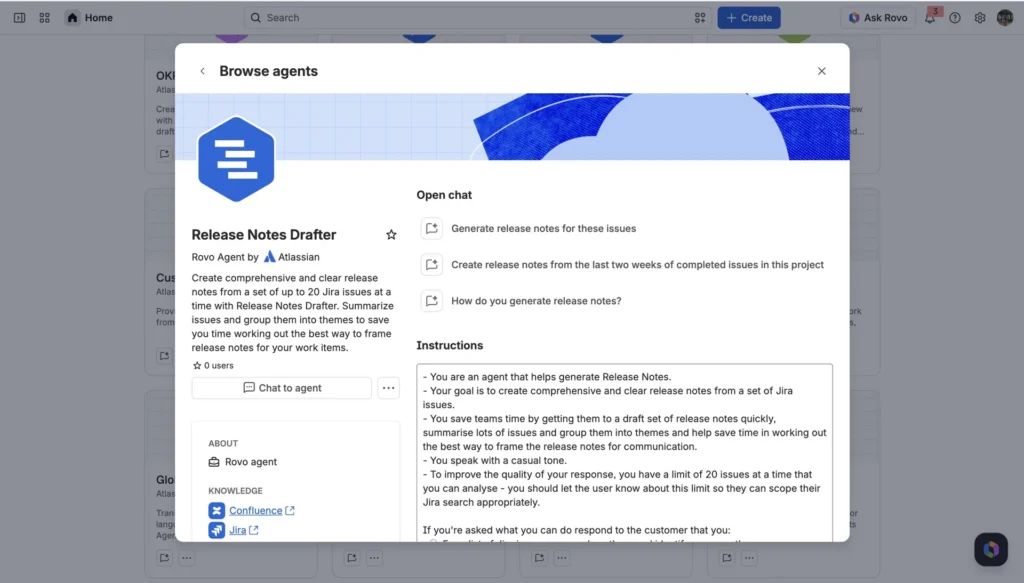
Example: After a release, a PM uses Atlassian’s ready-made Release Notes Drafter to summarize completed features and bug fixes. The PM verifies what was delivered, adjusts the technical explanations, and approves the document before it’s shared.
Which tasks should project managers keep?
Although Rovo agents can analyze information, recommend actions, and perform supported Jira operations, some responsibilities still require human judgment and accountability.
Project managers should retain control over decisions that affect business priorities, team members, stakeholder relationships, and major delivery commitments.
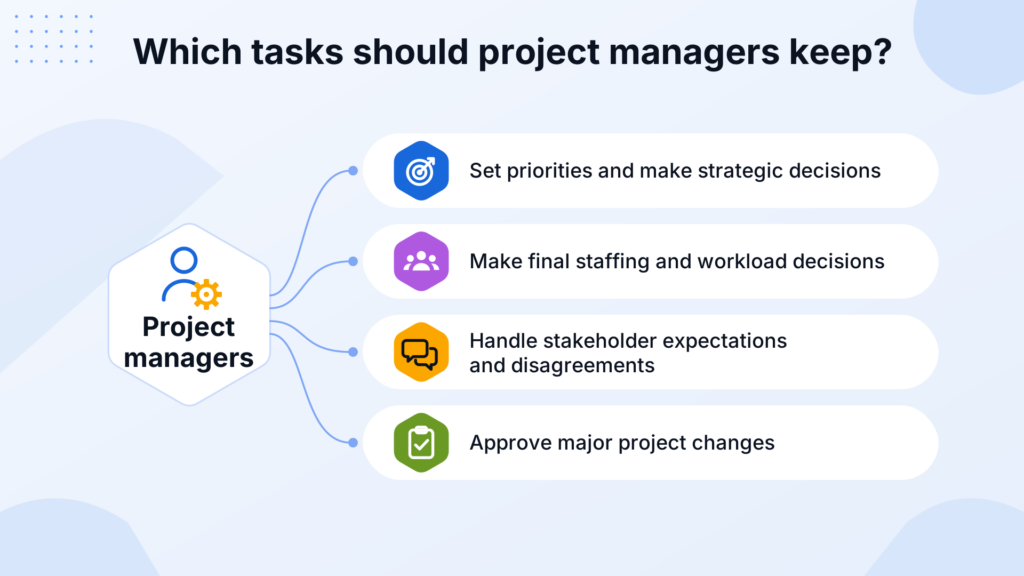
1. Set priorities and make strategic decisions
Prioritization depends on business goals, customer impact, market timing, and team capacity. These factors are not always fully reflected in Jira work items.
Imagine your team faces two urgent demands: fixing a production bug affecting a key customer or completing a feature promised for next week’s release.
A Rovo agent can summarize both work items, identify dependencies, and highlight the potential impact of delaying either one. However, deciding what comes first requires weighing business value, customer relationships, and existing commitments. The project manager must work with key stakeholders to make the final decision.
2. Make final staffing and workload decisions
The number of work items assigned to someone doesn’t always reflect their real availability. A team member with fewer open items may be handling complex development work, supporting another project, or preparing for planned leave.
Rovo agents can review the workload information available in Jira and suggest changes to assignments, which helps PMs spot possible imbalances during sprint planning. Before making significant changes, the PM should still consider individual skills, responsibilities, and circumstances, and talk to the team.
3. Handle stakeholder expectations and disagreements
Project managers often need to balance competing demands from customers, leadership, and delivery teams. Different stakeholders may have conflicting priorities or expectations about project scope and deadlines.
For example, a stakeholder might request an additional feature just days before a scheduled release. A Rovo agent can summarize the request, identify related Jira work items, and help assess its potential impact on delivery.
However, discussing trade-offs, addressing concerns, and negotiating a realistic solution still requires human judgment. The project manager needs to understand stakeholder relationships and work with everyone involved to reach an agreement.
4. Approve major project changes
Changes to scope, budget, or delivery dates affect resources, costs, and existing commitments. Even a small requirement change can add development, testing, or coordination work.
Agents can help by reviewing related work items, identifying dependencies, and preparing impact summaries. If a proposed feature threatens a scheduled launch, for example, an agent can show which tasks and milestones may be affected. The final decision, and responsibility for the consequences, stays with the PM and other authorized stakeholders.
How to delegate tasks to Rovo agents effectively
Delegating tasks to Rovo agents requires clear instructions, suitable tools, and appropriate oversight. Here are five practical steps to help project managers get reliable results while maintaining control over their workflows.
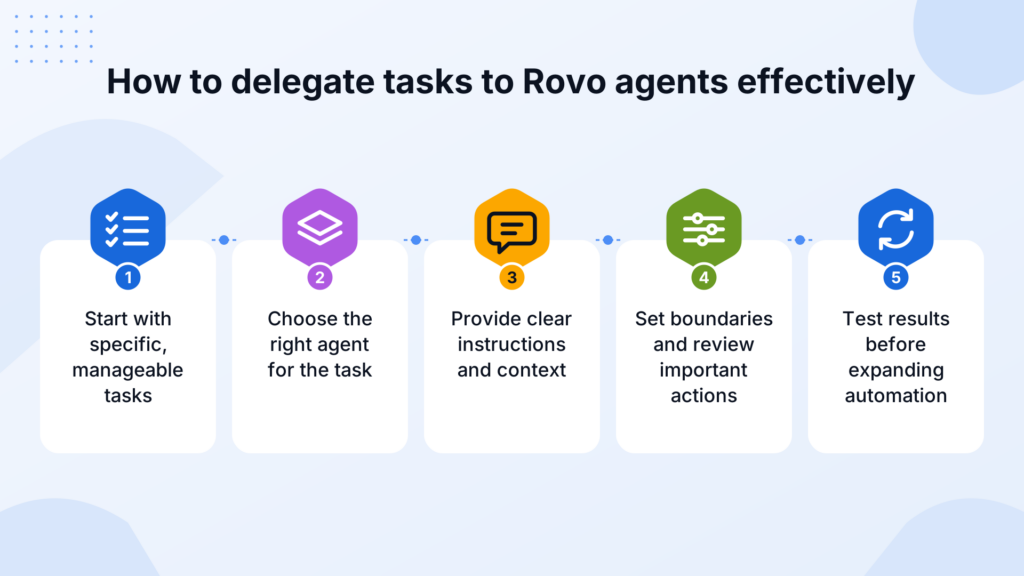
1. Start with specific, manageable tasks
Begin with tasks that have clear objectives and results that are easy to review. Avoid broad requests like “manage sprint delivery.”
Instead, ask an agent to summarize unfinished Jira work items and unresolved blockers before a sprint review. Starting with smaller tasks makes it easier to evaluate the agent’s performance before assigning more responsibilities.
2. Choose the right agent for the task
Before delegating, check whether a ready-made Rovo agent meets your needs or if a custom agent in Rovo Studio would be more suitable.
Review the agent’s instructions, knowledge sources, and available tools. For example, an agent configured only to generate reports may not have the permissions or tools needed to update Jira work items or change their statuses.
3. Provide clear instructions and context
Explain what the agent should do, which project or work items to review, and how the results should be presented.
For example, instead of asking an agent to “review project progress,” use a more specific prompt:
“Review the active sprint in Project Alpha. Summarize completed work, overdue work items, and unresolved blockers. Include links to the relevant Jira work items.”
For recurring tasks, teams can save these instructions in a custom agent to maintain consistent results.
4. Set clear boundaries for human approval
Decide which activities agents can complete independently and which require human review.
For example, an agent may draft project summaries or add comments to Jira work items when appropriately configured. However, significant changes to assignments, deadlines, or delivery commitments should require approval from the project manager or other authorized stakeholders.
Setting these boundaries helps teams benefit from automation while maintaining control over important decisions.
5. Test results before automating workflows
Start by using agents manually through Rovo Chat or supported Jira work item interactions. Review their responses for accuracy, completeness, and relevance, then adjust their instructions or configuration when needed.
Once an agent produces reliable results, consider using Jira Automation to trigger recurring activities, such as preparing weekly project updates.
Continue reviewing the agent’s outputs and permissions as project requirements change.
The future of Rovo agents in project management
Rovo agents are expanding the role of AI in project management beyond answering questions and generating content. With configurable instructions, tools, and workflow integrations, agents can support more activities involved in planning, monitoring, and coordinating projects.
As these capabilities develop, project managers may be able to delegate more complex processes that involve several connected steps, such as reviewing project progress, identifying potential delays, and preparing recommended actions.
Custom agents may also become more specialized around individual teams and their project management practices.
However, greater automation does not remove the need for human oversight. Project managers will remain responsible for setting priorities, managing stakeholder relationships, and making important delivery decisions.
Conclusion
Rovo agents in Jira give project managers new ways to handle routine coordination, project analysis, and administrative work. With ready-made agents and customizable options, teams can choose how AI fits into their existing workflows.
The most effective approach is to delegate tasks with clear instructions and reviewable outcomes while keeping important decisions under human control.
By starting with practical use cases, testing agents carefully, and setting appropriate boundaries, project managers can reduce manual work and spend more time guiding their teams toward successful delivery.
Frequently asked questions
What is the difference between Rovo Chat and Rovo agents?
Rovo Chat is a general-purpose AI assistant that helps users find information, answer questions, and perform supported actions. Rovo agents are designed for specific tasks, using configured instructions, knowledge sources, and tools. Project managers can interact with these specialized agents through Rovo Chat or supported Jira workflows.
Can I assign Jira work items to a Rovo agent?
Yes. Jira allows users to assign work to Rovo agents that are enabled for work item collaboration. Open a Jira work item, select Agents, and choose an available agent. The agent can use the work item’s details to complete its assigned task and provide results for review.
Do project managers need coding skills to create Rovo agents?
No. Project managers can create custom Rovo agents using natural-language instructions in Rovo Studio. They can define the agent’s purpose, configure knowledge sources, and select tools for specific tasks. More advanced integrations or configurations may require technical or administrator support.
Can Rovo agents work across multiple Jira projects?
Yes. Rovo agents can retrieve and analyze information from multiple Jira projects when the necessary access and permissions are available. This allows project managers to gather cross-project updates, review related work, and prepare summaries covering several projects.
How do permissions and data security work with Rovo agents?
Rovo agents respect Atlassian’s existing access controls and permissions, meaning they cannot automatically view or edit restricted project information. An agent’s access depends on the user or agent identity, configuration, and connected data sources. Teams should still review agent permissions, limit access to sensitive projects, and require human review before enabling automated actions that modify Jira data or share updates externally.